How to Use Dual WhatsApp: Run GB WhatsApp & Official WhatsApp Together
Managing two different lives on one phone is a common challenge today. Many people juggle a personal number and a business number simultaneously. Carrying two separate mobile devices can be cumbersome and expensive. Fortunately, there is a simple solution to run dual accounts on one device.
You can easily install the official app alongside a modified version. This allows you to keep work chats separate from family messages. In this guide, we will explore how to use GB WhatsApp alongside the standard version. We will cover installation, setup, and key tips for smooth operation.
What Is Dual WhatsApp?
Dual WhatsApp refers to the ability to run two distinct accounts on a single smartphone. Typically, Android phones only allow one instance of an app. However, by using specific methods, you can bypass this limitation. This setup requires two active phone numbers.
One account runs on the official application from the app store. The second account runs on a modified platform or a cloned instance. Both apps function independently without interfering with each other. This creates a seamless communication experience for the user.
Why Use Two WhatsApp Accounts on One Phone?
There are many practical reasons to maintain two accounts. It helps in organizing your digital life effectively. Here are the main benefits of this setup:
- Separate Work and Personal Life: Keep professional inquiries away from private family chats.
- Privacy Management: Use different privacy settings for different groups of contacts.
- Device Consolidation: Carry only one phone instead of two heavy devices.
- Organization: Keep business catalogs and automated replies on one account.
- Testing Features: Experiment with new tools on a secondary account.
Can You Run GB WhatsApp and Official WhatsApp Together?
The short answer is yes, you absolutely can. The official WhatsApp uses a specific package name recognized by Android. GB WhatsApp uses a different package name, usually com.gbwhatsapp. Because the package names differ, your phone treats them as two separate applications.
This allows both apps to be installed and active simultaneously. You do not need to root your device for this to work. Both apps can send notifications and receive calls at the same time. This is the most efficient way to manage dual numbers.
Requirements for Dual WhatsApp Setup
Before you begin, ensure you have the necessary tools. You will need an Android smartphone with moderate specifications. A minimum of 4GB RAM is recommended for smooth performance. You also need two distinct active phone numbers.
One number will verify the official app. The second number will verify the modified app. Ensure you have an internet connection for the download process. Lastly, allow installation from unknown sources in your settings.
Method 1: Using GB WhatsApp with Official WhatsApp
This is the most popular method for power users. It involves keeping your current official app installed. You then add the modded version as your second line. This method gives you access to advanced features on the second account.
You can customize the look of the second app entirely. This helps you visually distinguish between your work and personal apps. Many users look forward to GB WhatsApp 2026 updates for even better stability. Using this method ensures you get the best of both worlds.
Method 2: Using Built-In Dual App Features
Many modern Android phones come with a native cloning feature. Brands like Samsung, Xiaomi, and OnePlus offer this out of the box. It is often called “Dual Messenger” or “App Twin”. This feature creates a clone of the official WhatsApp.
This method is safe and very stable. However, it does not offer the extra features of a mod. Both instances will look exactly the same. It is a good choice for users who prefer simplicity over customization.
Method 3: Using Third-Party Clone Apps
If your phone lacks native cloning, you can use third-party tools. Apps like Parallel Space are designed for this purpose. They create a virtual space to run a second instance of an app. This works on almost any Android device.
However, these apps can drain your battery faster. They also display ads within the cloning interface. Notifications might sometimes be delayed with this method. It is generally considered a backup option if Method 1 fails.
Step-by-Step Installation Guide
Follow these steps to get your dual setup running. First, ensure the official WhatsApp is installed and verified. Next, you need to perform the GB WhatsApp download from a trusted source. Save the file to your device’s download folder.
Locate the GB WhatsApp APK file in your file manager. Tap on it to begin the installation process. If prompted, grant permission to install from this source. Once installed, open the application.
You might be worried about account safety. It is important to know How to install GB WhatsApp without bans correctly. Follow verification steps carefully. Do not spam messages immediately after creating the account.
How to Setup Different Phone Numbers
Setting up the numbers correctly is crucial. You cannot use the same number on both apps simultaneously. If you do, one app will log you out. Follow this checklist for verification:
- Prepare the SIMs: Ensure both SIM cards are active and can receive SMS.
- Open the App: Launch the newly installed application.
- Input Number: Enter your secondary phone number.
- Wait for OTP: You will receive a One-Time Password via SMS.
- Auto-Fill: Allow the app to detect the SMS or enter it manually.
- Restore Backup: If you have a local backup, restore it now.
- Profile Setup: Add your name and profile picture.
Managing Two WhatsApp Accounts Simultaneously
Running two accounts requires good management skills. You should decide which account serves which purpose. For example, use the official app for banking and family. Use the modded app for casual chatting and groups.
Explore the unique tools available in the modded version. You can check out 50+ GB WhatsApp features and its comparison with WhatsApp to learn more. Understanding these differences helps you utilize each account better. This ensures you are efficient with your communication.
Switching Between Accounts Easily
Switching is as simple as switching between open apps. Use your recent apps button to toggle back and forth. You can place both app icons on your home screen. Group them in a folder named “Communication” for quick access.
Some launchers allow you to rename the icons. You could rename one to “Work” and the other to “Personal”. This prevents accidental messages to the wrong contact. Visual organization is key to a smooth experience.
Notification Settings for Dual WhatsApp
Double the apps mean double the notifications. This can become overwhelming if not managed. You should customize the notification tones for each app. Set a professional tone for work messages.
Use a fun or casual tone for your personal chats. This helps you identify the sender without looking at the screen. You can also mute groups on your secondary account. This keeps your notification bar clean and organized.
Backup Both Accounts Separately
Data loss is a risk with any digital platform. The official WhatsApp backs up to Google Drive. The modded version usually requires a local backup strategy. You must manually copy the folder to a safe location.
Regularly create backups to avoid losing important chats. You should learn how to backup and restore GB WhatsApp chats properly. Do not rely solely on automatic features. Keep a copy of your data on a computer or external drive.
Storage Management Tips
Two accounts will consume double the storage space. Media files like photos and videos accumulate quickly. Regular cleaning is necessary to keep your phone fast. Delete unnecessary forwarded videos and memes.
Use the built-in storage management tools in the apps. Navigate to Settings and then Storage and Data. Review large files and delete what you don’t need. This prevents your phone purely from lagging.
Common Issues and Troubleshooting
Sometimes you might face login hurdles or crashes. Network connectivity issues can also disrupt dual usage. Ensure your background data is enabled for both apps. If an app crashes, clear the cache in Android settings.
Login problems are rare but frustrating. If you encounter them, read this guide to Fix GB WhatsApp login issuue quickly. Usually, a simple reinstall or update solves the problem. Always keep your APK files updated.
Users of GBWhatsApp occasionally report temporary errors. These are often fixed in the next update. Patience and regular maintenance are key.
Best Practices for Dual WhatsApp
Security should be your top priority. Enable two-step verification on both accounts immediately. This prevents unauthorized access even if someone steals your SIM. Review the privacy settings on your secondary account.
You can leverage specific privacy features of GB WhatsApp 2026 for enhanced security. Hide your online status if you want to work undisturbed. Additionally, customization can help you distinguish the apps. Apply Top 10 GB WhatsApp Themes to your secondary account.
Frequently Asked Questions (FAQs)
Pros and Cons of Running Dual WhatsApp
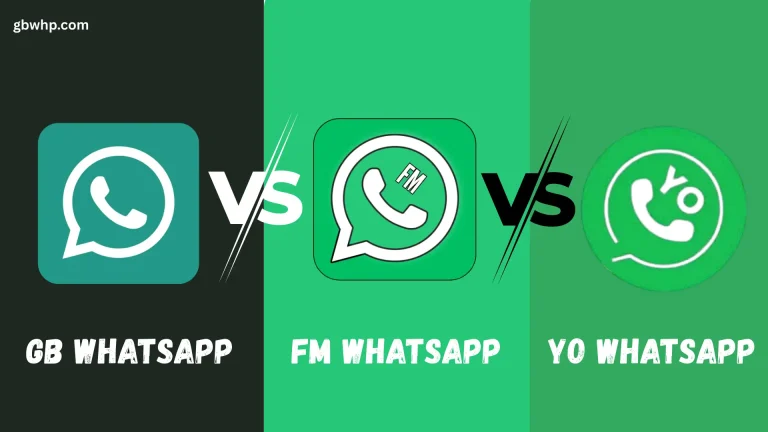
Before committing to this setup, weigh the advantages and disadvantages. It is important to know what you are getting into. Below is a comparison to help you decide. You can also compare GB vs FM vs Yo WhatsApp for more options.
| Pros | Cons |
|---|---|
| Separates work and personal life effectively. | Consumes more battery power and RAM. |
| No need to carry two mobile phones. | Higher storage consumption for media. |
| Access to advanced privacy features. | Manual updates required for the modded app. |
| Fully customizable themes and interfaces. | Google Drive backup works only for the official app. |
| Ability to use two different accounts simultaneously. | Risk of temporary ban if anti-ban rules are ignored. |
Final Recommendations
Using dual WhatsApp accounts is a game-changer for productivity. It simplifies communication and reduces hardware clutter. By combining the official app with a mod, you gain flexibility. Just remember to back up your data frequently.
Follow the installation steps carefully to avoid errors. Keep your apps updated to ensure security. For reliable downloads and updates, always visit GBWhp.Com. Enjoy the freedom of managing two accounts on one screen.